How to Fix Broken Links on Your Website Quickly
Learn how to quickly find and fix broken links on your website to improve SEO rankings, user experience, and site performance. Step-by-step guide with tools and best practices for 2026.
Broken links (also called dead links or 404 errors) are hyperlinks that lead to non-existent pages, frustrating visitors and hurting your SEO rankings. The good news? You can find and fix them in under an hour using the right approach.
This comprehensive guide shows you exactly how to identify broken links on your website, prioritize what needs fixing first, implement quick solutions, and prevent future problems. Whether you run a WordPress site, custom PHP application, or static HTML pages, these proven methods work across all platforms.
By the end, you'll have a clean link structure that improves user experience, boosts search engine crawl efficiency, and maintains your site's credibility with Google and other search engines.
What Are Broken Links and Why Do They Matter?
A broken link occurs when a hyperlink points to a URL that no longer exists or returns an error (typically 404 Not Found, 410 Gone, or 5xx server errors). They create dead ends that confuse visitors and waste search engine crawl budget.
Internal vs External Broken Links
- Internal broken links: Links pointing to pages within your own domain that were deleted, moved, or mistyped
- External broken links: Links to other websites where the destination page was removed or the domain expired
- Orphaned links: Links that exist in your sitemap or database but nowhere on actual pages
The Real Impact of Broken Links
| Problem | Impact | Priority |
|---|---|---|
| High bounce rates | Users leave immediately after hitting dead ends | High |
| Wasted crawl budget | Search engines waste time on error pages | High |
| Lost link equity | PageRank value can't flow through broken links | Medium |
| Trust signals | Site appears neglected or unprofessional | Medium |
Common Causes of Broken Links
Understanding why links break helps you fix them faster and prevent recurrence:
- Content deletion: Removing pages without updating internal links
- URL changes: Site migrations or redesigns without 301 redirects
- Typographical errors: Simple typos in URLs (missing slashes, wrong extensions)
- External site changes: Third-party sites reorganizing or deleting content
- Plugin/theme issues: WordPress plugins generating outdated links
- Domain expiration: External sites letting domains lapse
How to Find Broken Links (5 Proven Methods)
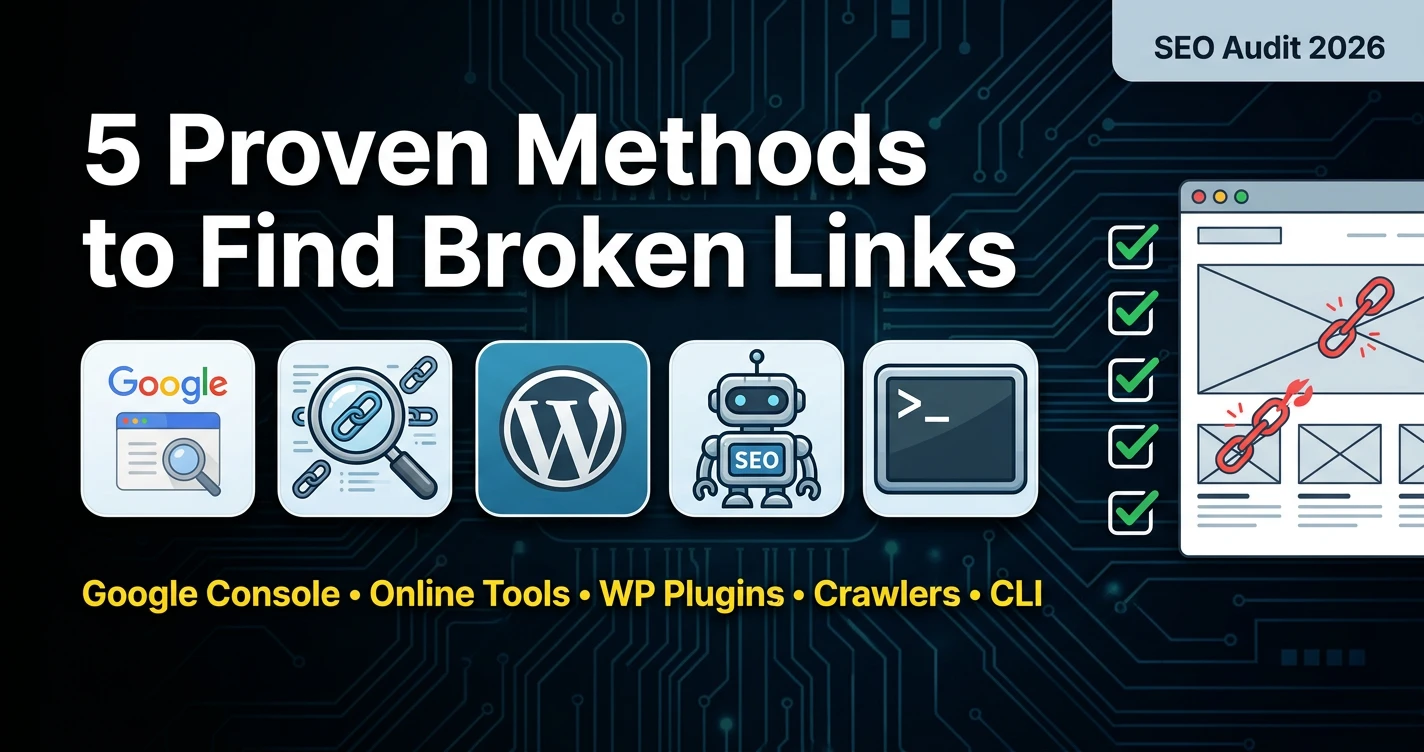
Method 1: Google Search Console (Free & Automatic)
- Login to Google Search Console
- Go to Indexing > Pages
- Look for "Discovered - currently not indexed" or 4xx/5xx errors
- Click through to see specific broken URLs
- Export the list for bulk fixing
Pro tip: Validate fixes directly in Search Console after implementing changes.
Method 2: Online Broken Link Checkers (Fast & Free)
| Tool | Free Limit | Best For |
|---|---|---|
| BrokenLinkCheck.com | 3,000 pages | Quick scans |
| Ahrefs Broken Link Checker | Any URL | Single pages |
| Dr. Link Check | 2,000 pages | Visual reports |
| Dead Link Checker | 500 pages | Desktop app |
Method 3: WordPress Plugins (For WP Users)
- Broken Link Checker - Scans posts/pages automatically
- Link Whisper - AI-powered link suggestions
- Redirection - Manages 301 redirects
Method 4: SEO Crawlers (Professional)
- Screaming Frog - Free up to 500 URLs, unlimited paid
- Sitebulb - Visual broken link reports
- DeepCrawl - Enterprise-level scanning
Method 5: Command Line (Advanced Users)
wget --spider -r -nd -nv -H "http://yoursite.com/" 2>&1 | grep 'not found'Step-by-Step: How to Fix Broken Links (15-Minute Process)
Step 1: Prioritize Your Fixes
- Internal links on homepage/navigation (highest priority)
- Internal links on high-traffic pages
- External links in popular content
- Less critical internal links
Step 2: Fix Internal Broken Links
Option A: Update the link (Fastest)
- Find the replacement page
- Edit source page, update href attribute
- Save and test the new link
Option B: Create 301 Redirect (Best Practice)
# .htaccess example
Redirect 301 /old-page.html /new-page.html
WordPress Redirect Plugin Settings:
- Source URL: /old-page/
- Target URL: /new-page/
- Type: 301 Permanent
Step 3: Handle External Broken Links
| Situation | Solution | SEO Impact |
|---|---|---|
| New URL exists | Update link | Positive |
| Similar content elsewhere | Replace with new source | Neutral |
| No good replacement | Remove link | Slightly negative |
Step 4: Bulk Fix with Find & Replace
For WordPress: Use "Better Search Replace" plugin
For static sites: Use VS Code multi-cursor editing
WordPress-Specific Solutions
Best WP Broken Link Plugins (2026)
- Redirection - 1M+ installs, manages redirects
- Broken Link Checker - Auto-scans content
- Link Patrol - Monitors external links
- Asset CleanUp - Removes unused assets
WordPress .htaccess Redirect Examples
# Redirect old blog structure
RedirectMatch 301 ^/old-blog/(.+) /blog/$1

# Force trailing slash
RewriteRule ^(.*[^/])$ /$1/ [L,R=301]

# Custom 404 handling
ErrorDocument 404 /404-page.html
Advanced: Setting Up Broken Link Monitoring
Automated Monitoring Systems
- Google Search Console - Free alerts for crawl errors
- Visualping.io - Monitors key pages monthly
- UptimeRobot - Alerts for 404 pages
- Custom cron jobs - Automated scanning scripts
Weekly Maintenance Checklist
- Run broken link scan (5 mins)
- Fix top 10 critical links
- Check Search Console errors
- Test navigation links manually
- Update sitemap.xml
Important tools for you:-
Preventing Future Broken Links (Pro Tips)
Before Major Site Changes
- Export all internal links first
- Map old URLs to new URLs
- Test redirects before going live
- Update XML sitemap immediately
Content Creation Best Practices
- Test every external link before publishing
- Use descriptive anchor text
- Link to stable, authoritative sources
- Avoid linking to temporary pages
Technical Prevention
- Enable custom 404 pages
- Set up redirect plugins
- Regularly update plugins/themes
- Backup .htaccess before changes
SEO Impact Timeline After Fixing Links
| Action | Days to Impact | Expected Results |
|---|---|---|
| Fix internal links | 1-7 days | Better crawl efficiency |
| Google re-crawls | 7-14 days | Index improvements |
| Ranking changes | 14-30 days | Potential ranking gains |
Quick 10-Minute Broken Link Audit Checklist
- Run Screaming Frog (free tier) or online checker
- Export first 50 broken links
- Fix 5 most critical internal links
- Set up 3 important 301 redirects
- Update Google Search Console
- Schedule next audit
